
TUTORIAL 03 / SCREENING / 4 MIN
Choose screening types and read the results
See Federal DNC, State DNC, and Litigator selections, then interpret a simulated job summary and its coverage limits.
Download the fictional sample CSV ↓Actual AppendIQ screens, fictional clients and records. Screenshots use local simulated responses. No live provider results, customer data, or charges.
- 01
Choose the checks you need
On an imported file, review the Federal DNC, State DNC, and Litigator checkboxes. They represent separate checks. Federal DNC relates to the national list, State DNC to supported state checks, and Litigator to the configured provider’s litigator data. A missing selection is not a negative result.
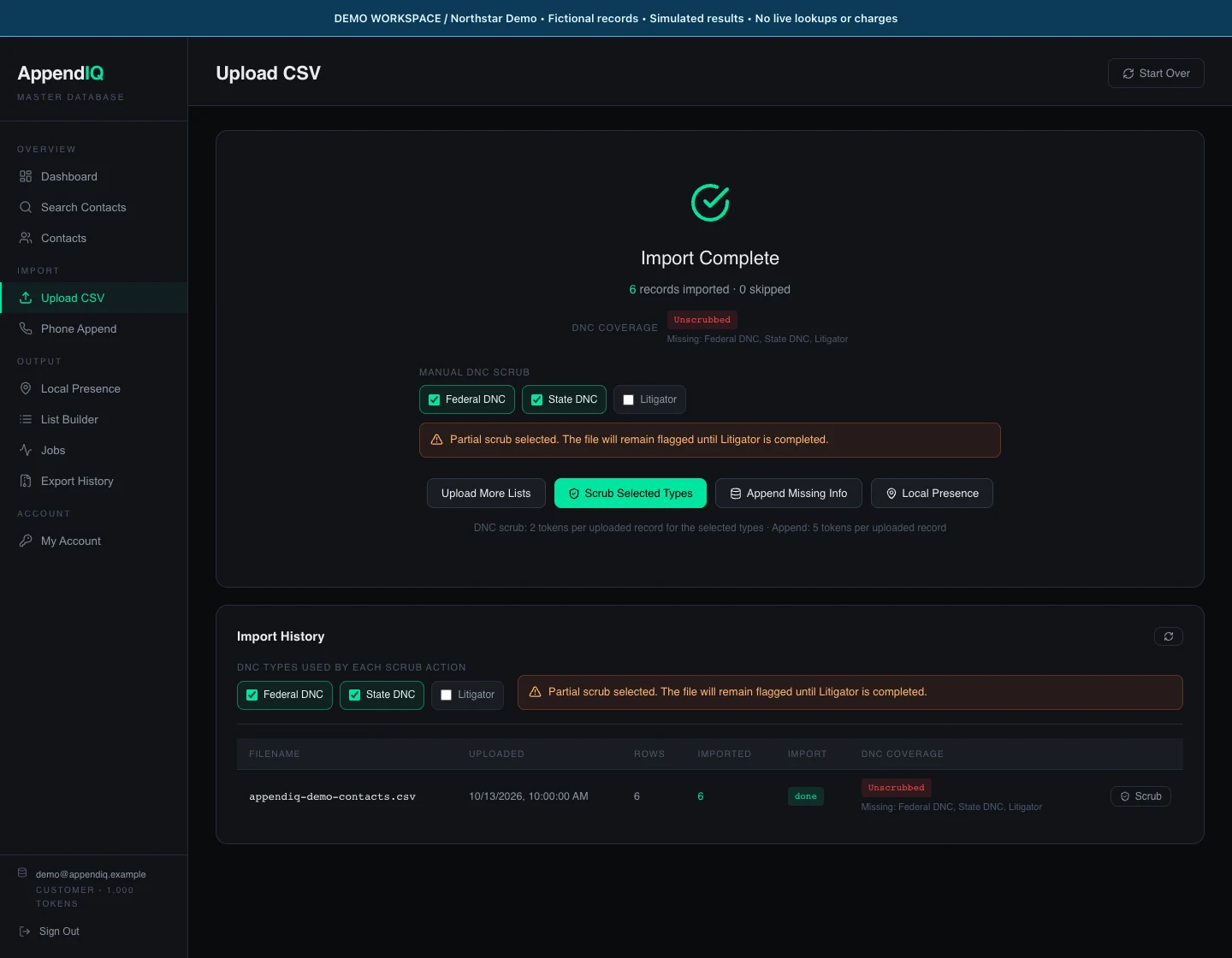
Selection example only: leaving Litigator unchecked produces the existing partial-screening warning.Open full size ↗ - 02
Review the scope before starting
The screenshot deliberately deselects Litigator to show the partial-scrub warning. For the simulated run, we selected all three again and chose Scrub Selected Types. In a real account, processing requires the configured service and can spend tokens. The walkthrough makes no provider call and charges nothing.
- 03
Open the completed job
Open Jobs, find the scrub job, and choose View. Check status, processed rows, export count, and the Removed summary. Our fabricated example shows fdnc: 1, state_dnc: 1, and litigator: 1, with three retained rows. Those are scenario values, not live matches or provider performance.
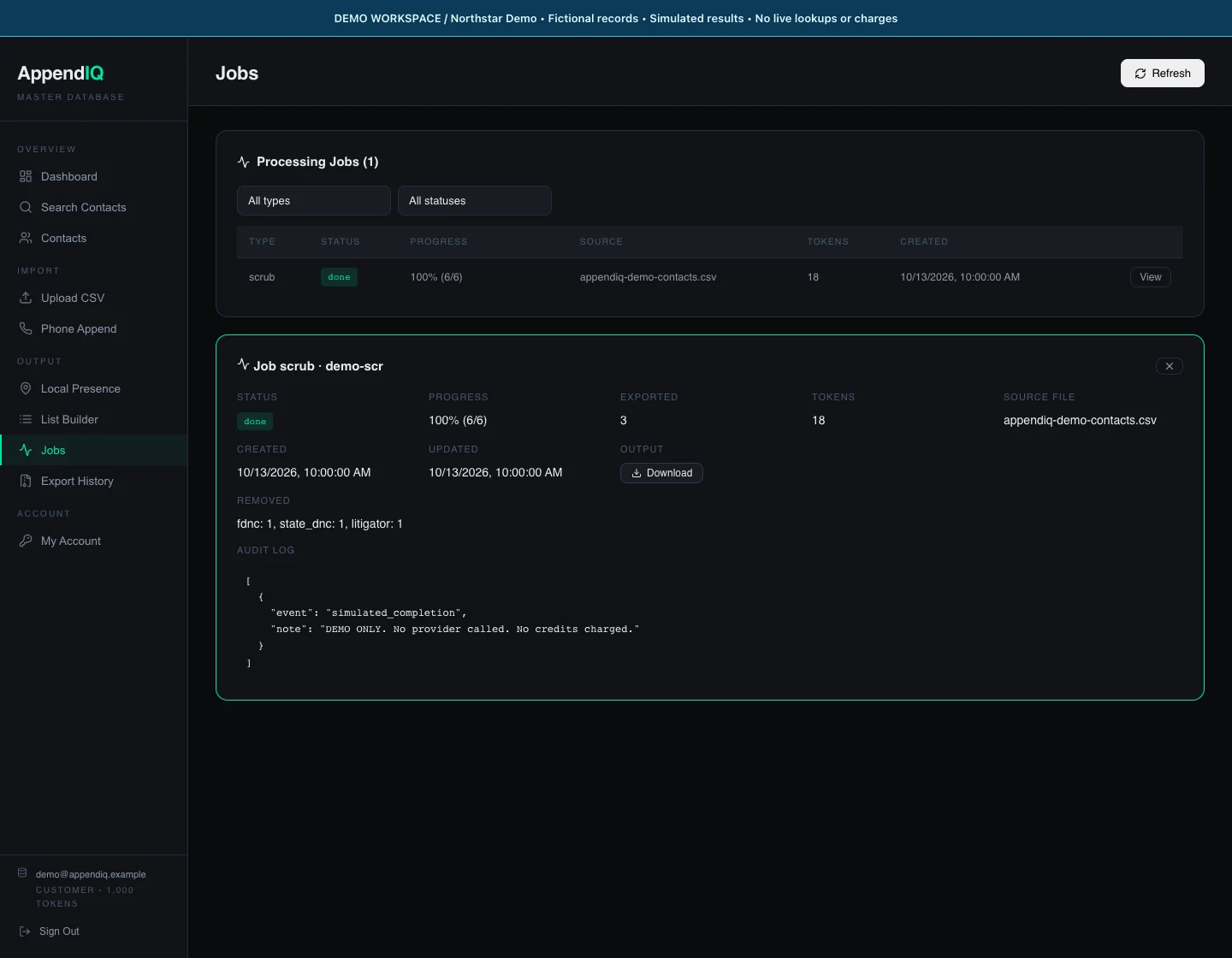
Simulated job summary. The audit note explicitly states that no provider was called and no credits were charged.Open full size ↗ - 04
Read coverage separately from clearance
Return to Upload CSV and check the file’s DNC Coverage label. Pending, partial, failed, expired, or missing checks need attention. The current job summary groups removals by the app’s highest-priority reason; it is not a table of three independent per-contact flag columns. Do not infer consent from an unflagged or retained row.